pilotry

Per-project workspaces
Each one with its project folder and pane layout. Close and reopen - everything is in place.
Do far more - simpler and faster
Run Claude Code, Codex, opencode, and any other CLI agents in parallel across isolated worktrees. Terminals and splits, a notification system, a built-in file editor, a browser, and Git change tracking.
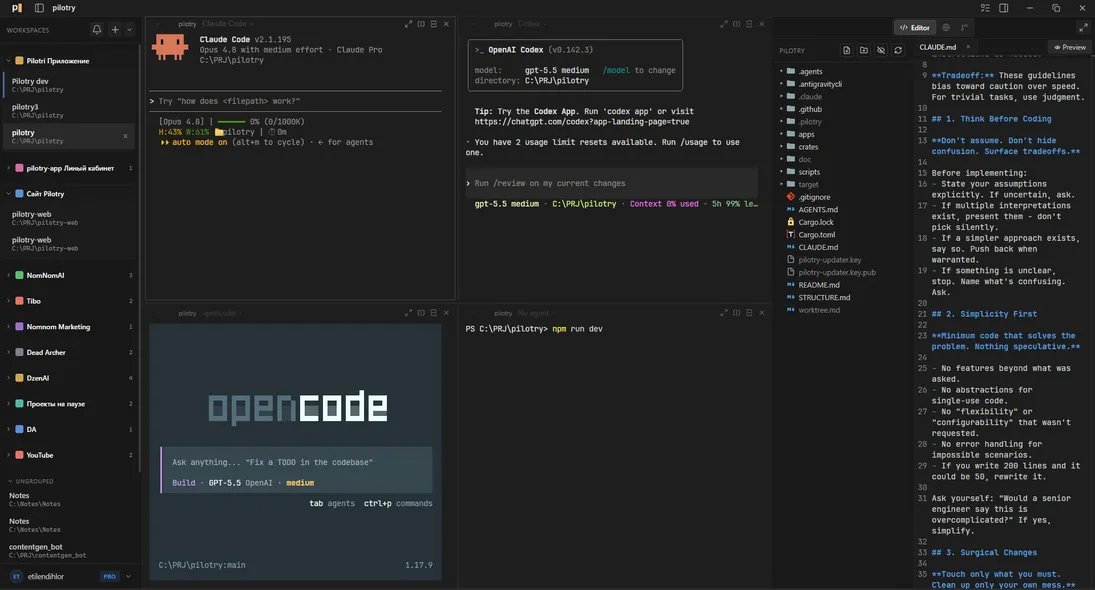
Use your existing Claude Code and Codex subscriptions or free models - no separate subscription required.
Statuses
A status ring around every pane, a count badge in the sidebar. Who is ready, who awaits input, who is still working - clear at a glance. Minimize the window and a native Windows or macOS notification pops up.
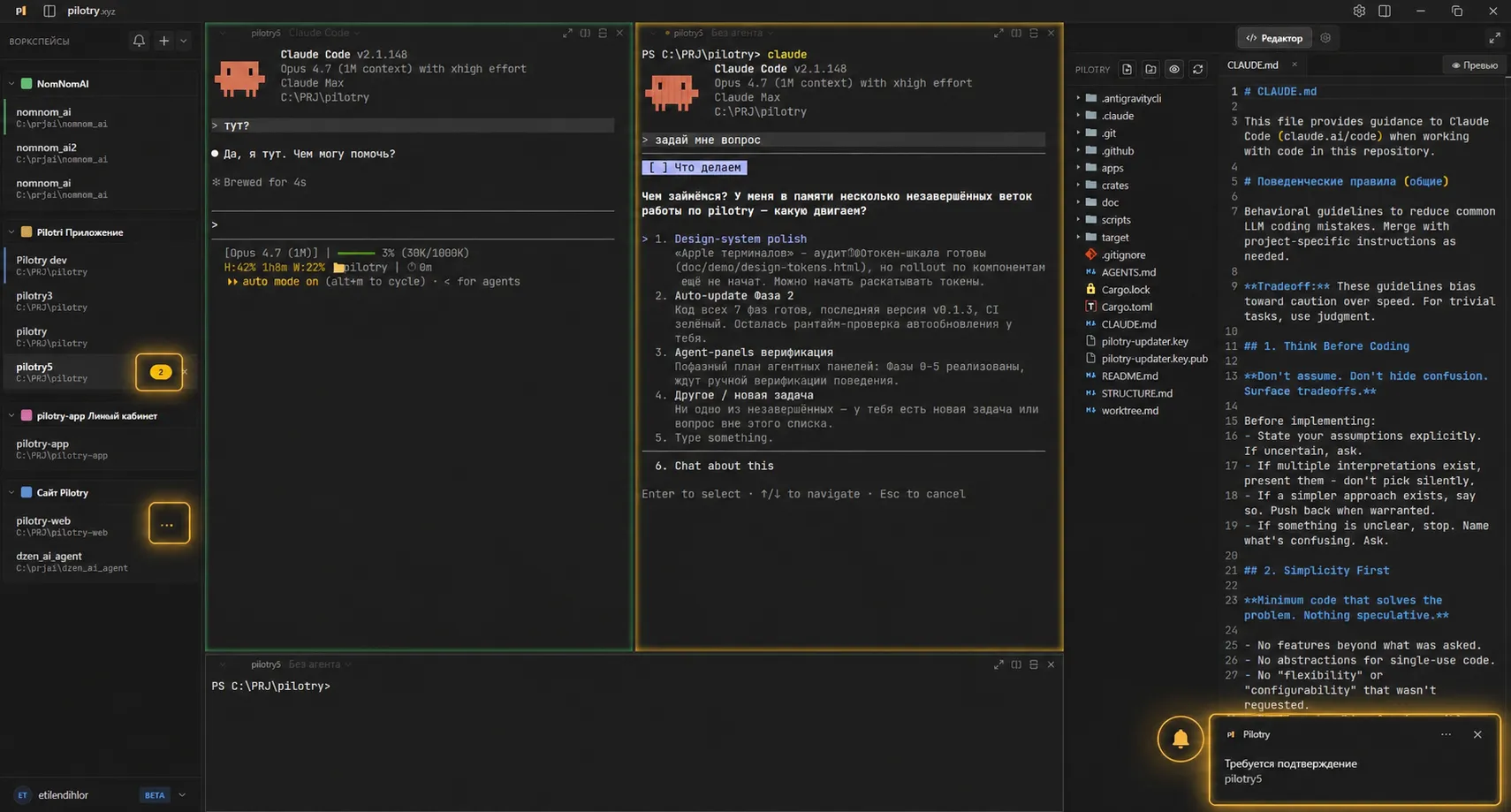
Panes light up in the right colors - agents are easy to track.
Switch between projects and see agent status: working, notifications.
System notifications with sound - click to jump to the right window.
Organize
Colored groups, drag and drop, your own order. Flag a workspace "don't forget" - come back to it like an unread email. Next to it - an event center with every notification.
Color folders and workspaces, gather them into groups - projects never blur together.
A dot on a workspace, like an unread email - you never miss unfinished work.
Wizard
A new workspace in two steps: folder and pane layout, then an agent in each pane. Save the combo as a preset - next time it is one click.
Assign any CLI to any pane: Shell, Claude Code, Codex, Gemini, opencode. Save the combo as a preset.
Editor
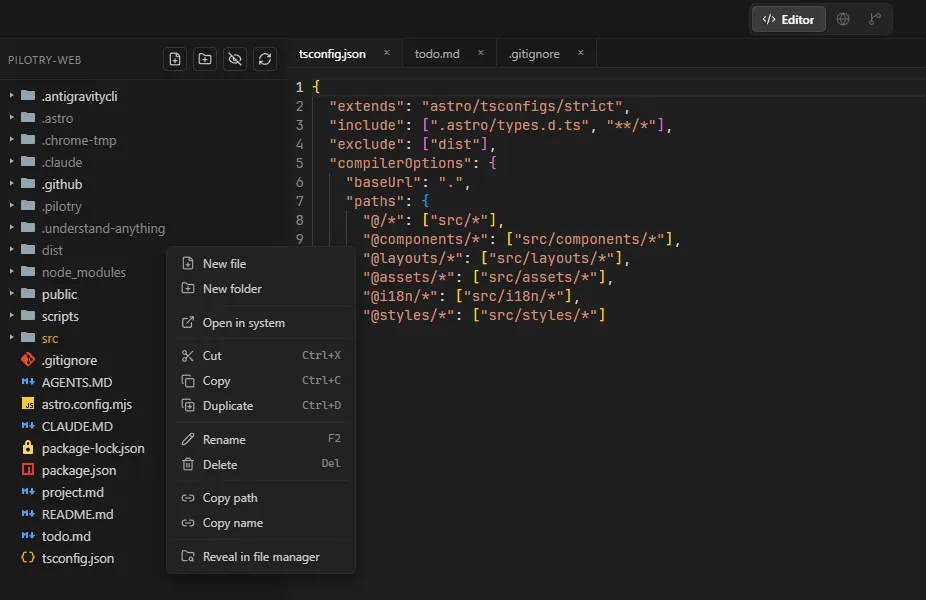
A project tree, tabs, syntax highlighting. Open, rename, copy path, reveal in explorer - all next to your agents. No separate editor needed.
Browser
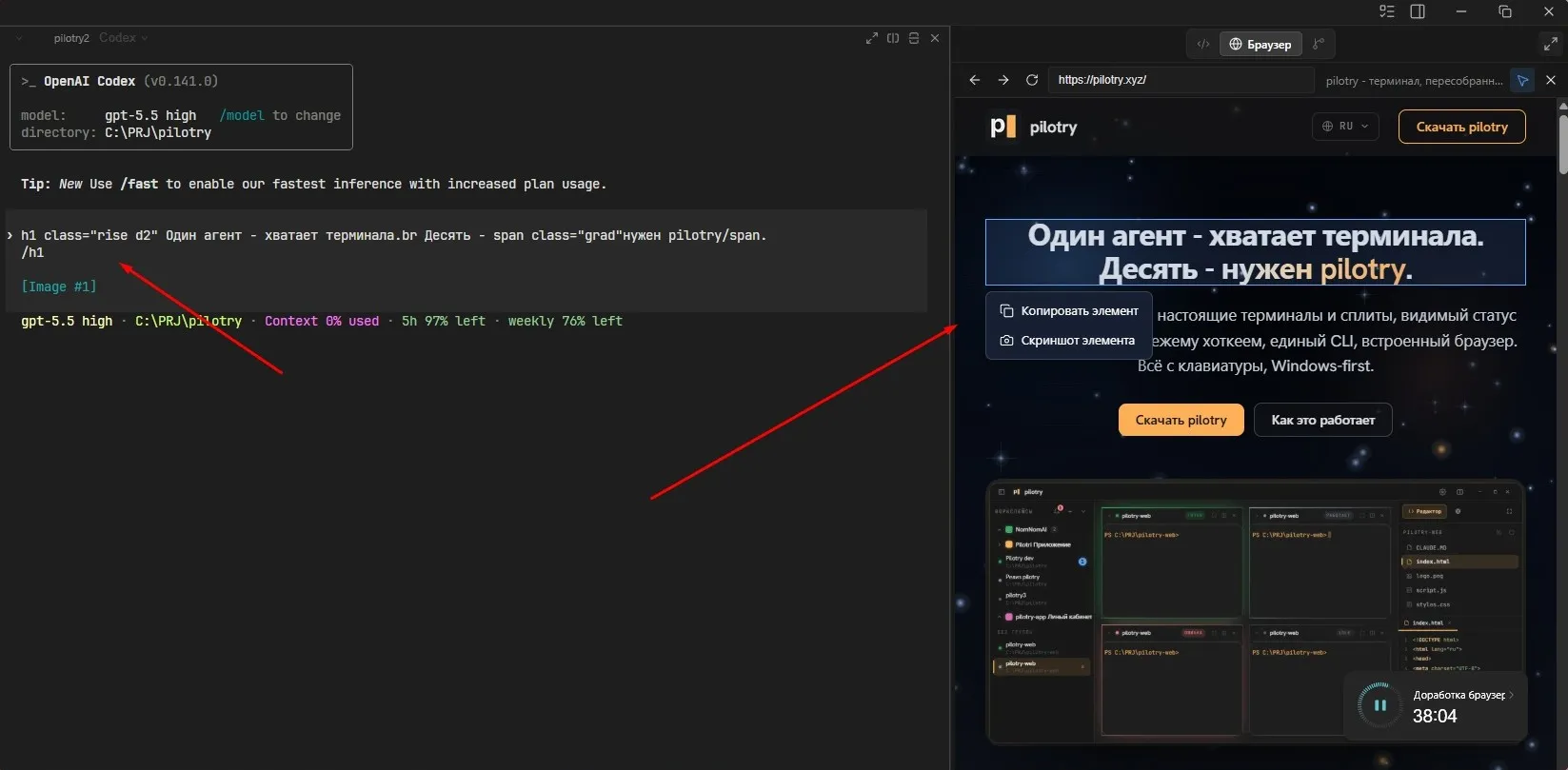
Open your local site right inside pilotry: navigate pages, inspect elements, copy a block, or screenshot the selected one - next to your agents and editor.
Version control
The Git panel shows changed files, the index, and history next to the editor. Review the diff, stage what matters, write a message, and commit the result.
See exactly which files changed and what will land in the commit.
Stage individual files or everything at once without switching windows.
When an agent finishes a task, you can review and commit the result in the same work context.
Tasks
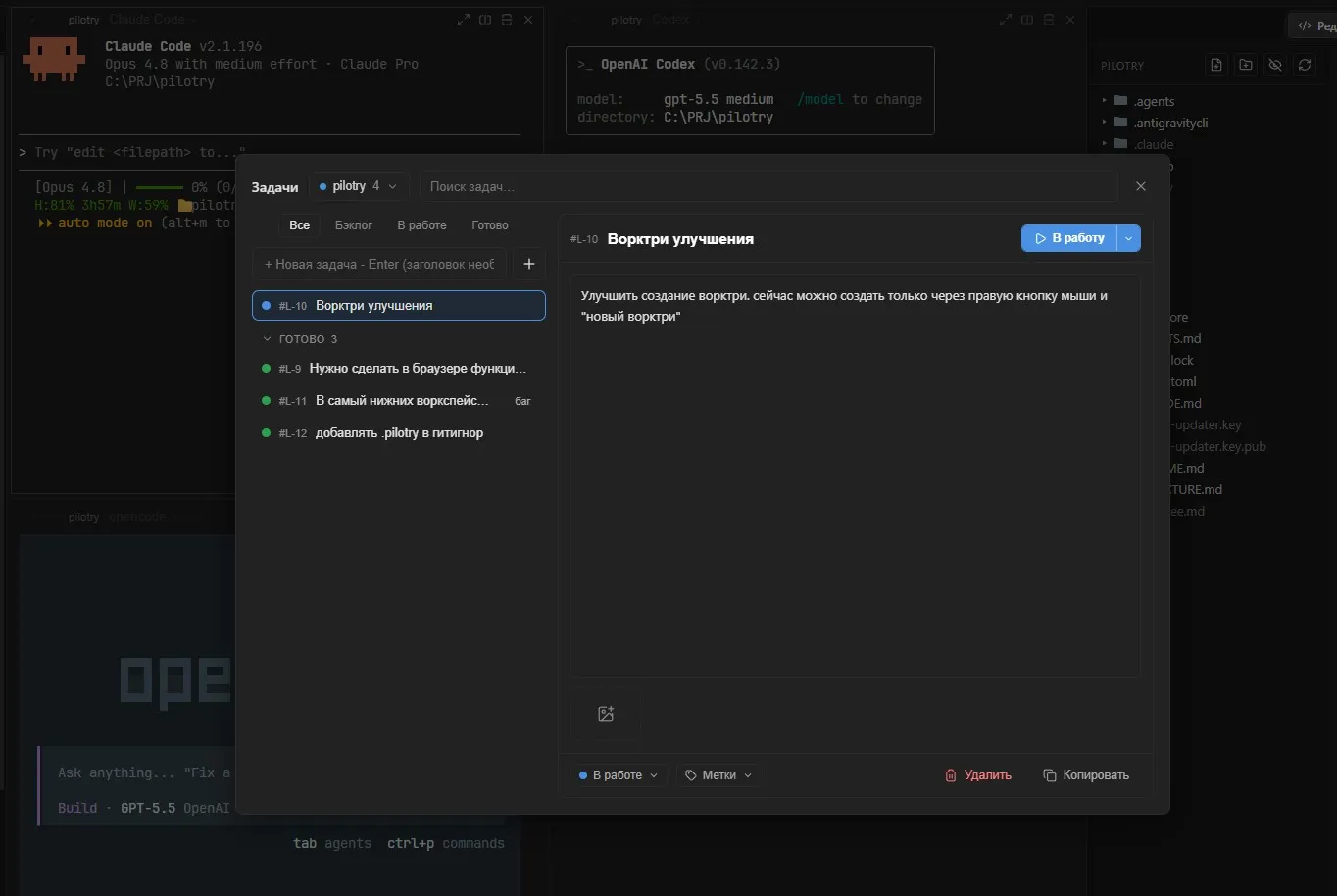
Backlog, in progress, and done - in the same window as your terminals. Create tasks, search the list, add labels, and hand them straight to an agent.
Process
Backlog, in progress, done - organize the work into tasks right next to your agents.
1Run agents in parallel - each in an isolated worktree, or straight in the project.
2Editor, terminal, browser, and Git change tracking - all at hand, without leaving pilotry.
3Layout, folders, and panes are preserved between launches - open and resume.
4You launch 5-8 agents in parallel - and have no idea who finished, who crashed, who is waiting for input. The terminal should tell you itself.
Each one with its project folder and pane layout. Close and reopen - everything is in place.
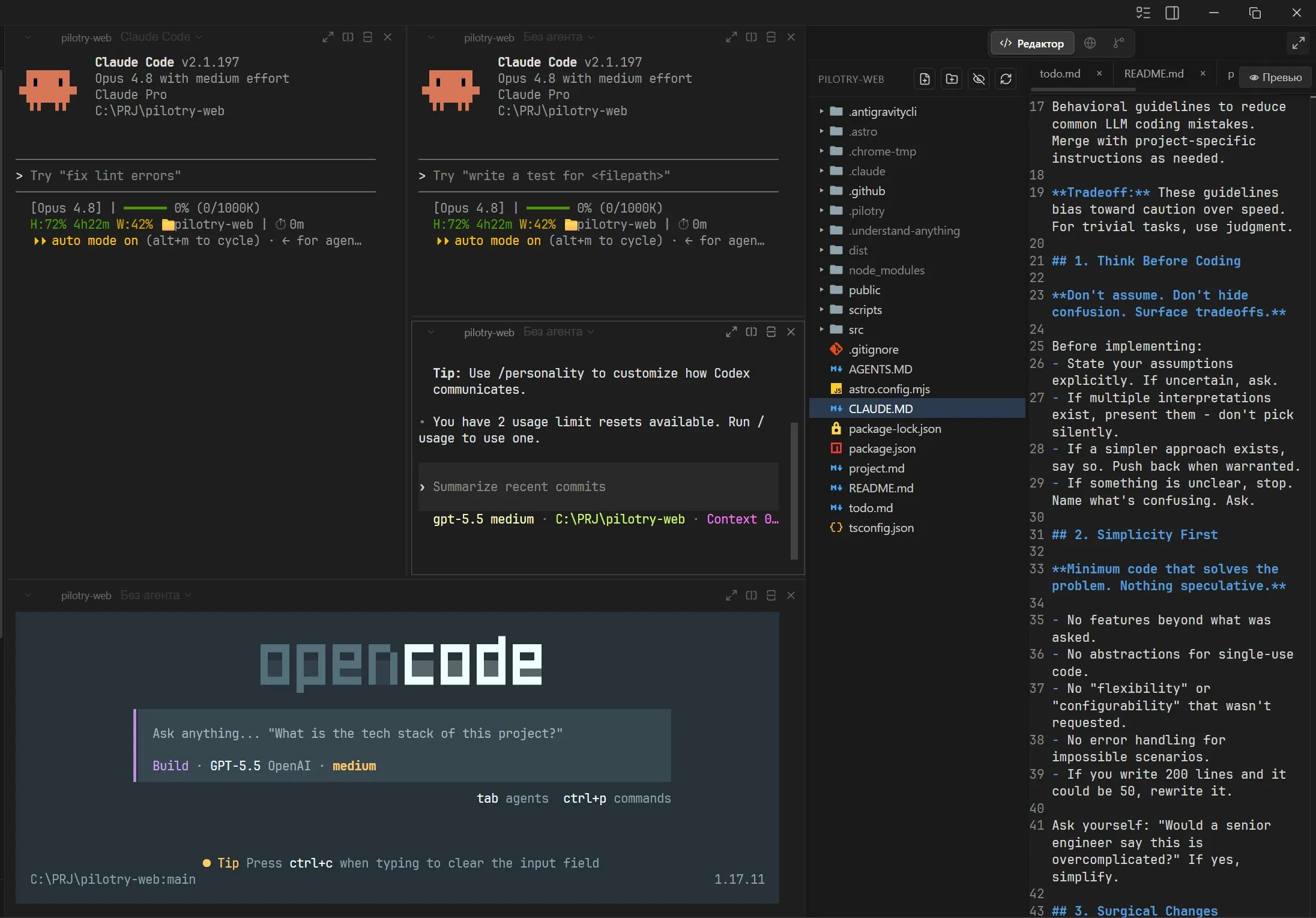
Split the window into panes as you like. Sizing with the mouse, navigation with the keyboard.
Panes light up in the right color, and tabs glow when an agent needs your attention.
Any CLI agent works exactly the same way as in a regular console. Nothing to reconfigure.
A notification when an agent finishes and the window is minimized. No spam. Sound is optional.
Workspaces, splits, navigation and the jump to the freshest agent - the whole loop is covered by the keyboard. The mouse is only really needed to resize panes.
Full list →$ pilotry open ./api # open a project as a workspace $ pilotry new-surface --agent claude --split right $ pilotry status # what is open right now $ pilotry focus s_8f3 # switch and raise the window
The pilotry command from any terminal: open a workspace, focus a pane, close it.
The system webview instead of a bundled Chromium - no heavy browser inside every window.
Price
Buy once and keep using it. No monthly charges.
No subscriptions, no monthly charges.
FAQ